
Harmony + monday.com
Seamlessly sync your ITSM workflows with monday.com. Automate user management, streamline ticket routing, and keep your teams in perfect harmony.
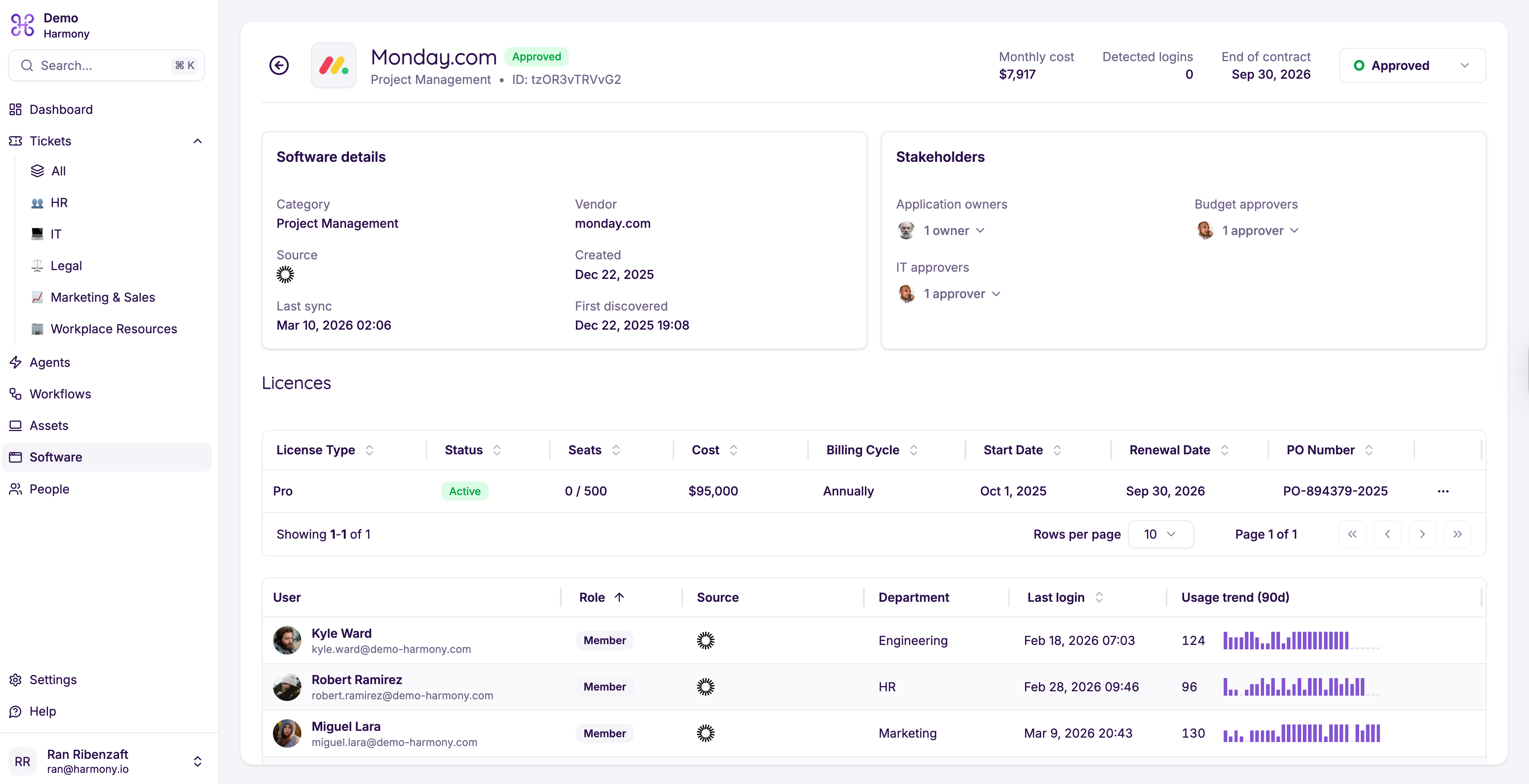
Seamlessly sync your ITSM workflows with monday.com. Automate user management, streamline ticket routing, and keep your teams in perfect harmony.
Two powerful platforms, one seamless connection. Manage users and automate workflows without switching tabs.
Automatically sync users between Harmony and monday.com. When a new team member is onboarded in Harmony, their monday.com workspace is provisioned instantly, including group assignments and permissions.
Create powerful automations that bridge both platforms. Trigger monday.com board updates from Harmony ticket events, auto-assign tasks based on ticket priority, and sync status changes in real time.
Connect with confidence. The integration uses the OAuth 2.0 authorization framework with PKCE, so your credentials are never shared directly. Revoke access at any time from either platform.
Get up and running in under five minutes. No engineering team required.
Navigate to Settings → Integrations in your Harmony dashboard and search for "monday.com" in the marketplace.
Click Connect and sign in to your monday.com account. Grant Harmony the requested permissions to read and write workspace data.
Define automation rules like "When a ticket is created in IT Desk, create an item on the Ops Board" and toggle them on. You are all set.
Built on modern standards for reliability, security, and performance.
Two platforms your teams already love, working together.
Harmony is an enterprise service management platform that resolves up to 90% of IT and HR requests automatically. With AI-driven ticket routing, a self-learning knowledge base, and built-in SLA tracking, Harmony helps teams deliver faster support with fewer resources.
Key capabilities include multi-desk support (IT, HR, Finance, Facilities), automated ticket classification, asset management, and comprehensive dashboards with real-time analytics.
monday.com is a flexible work operating system that lets teams build custom workflows, manage projects, and collaborate in one place. With boards, automations, dashboards, and 200+ integrations, it is the central hub for cross-functional work.